CAM Reconciliation: Complete Step-by-Step Guide
CAM reconciliation is the annual process commercial landlords use to settle operating expense estimates against actual costs. The result is either a true-up charge to the tenant or a credit. It is one of the most dispute-prone activities in commercial leasing.
Definition
CAM reconciliation is the annual comparison of actual operating expenses against the monthly estimates (CAM advances) tenants paid throughout the year. The process produces a reconciliation statement showing each tenant's true-up amount. It shows either a balance due or a credit, based on their pro-rata share of recoverable expenses.
By Angel Campa, Founder, CapVeri · Last updated: March 2026
The CAM Reconciliation Annual Calendar
Understanding the annual cycle helps landlords plan workloads and avoid missed deadlines.
| Period | Activity | Deadline |
|---|---|---|
| Jan–Mar (Year N) | Prior-year reconciliation statements prepared | Typically 90 days after Dec 31 |
| Jan–Mar | True-up invoices issued / credits applied | Same as above |
| Jan–Dec | Monthly CAM estimate (advance) charges collected | Ongoing |
| Oct–Nov | Budget CAM estimates prepared for next year | Before year-end |
| Dec 31 | CAM year closes (calendar-year leases) | Year-end |
| Mar 31 – Jun 30 | Latest typical statement delivery deadline | Per lease (usually 90–180 days) |
California SB 1103 imposes stricter requirements for small business commercial tenants. See our SB 1103 compliance checker.
The 8-Step CAM Reconciliation Process
Each step maps to a distinct phase of the reconciliation workflow and must be completed in order.
Before You Start: Get Accurate Lease Data
Reconciliation accuracy depends on reading the correct terms from each lease: gross-up threshold, pro-rata share denominator, CAM cap structure, and expense exclusions. Before running the numbers, upload lease PDFs to lextract.io to extract these CAM-critical fields in minutes, so your reconciliation math is grounded in the actual lease language, not assumptions.
Gather GL Expense Data
Export your operating expense GL from Yardi, MRI, or other property management system for the reconciliation year.
Screen for Non-Recoverable Expenses
Remove CapEx items, debt service, depreciation, above-market management fees, and lease-specific exclusions.
Apply Gross-Up Adjustment
If building occupancy was below the lease threshold (typically 90–95%), normalize variable expenses to the fully occupied equivalent.
Calculate Pro-Rata Shares
Divide each tenant's RSF by the total leasable denominator from the lease to get their proportionate share percentage.
Enforce CAM Caps
For leases with controllable expense caps, check whether year-over-year growth exceeds the cap and apply the cap bank if cumulative.
Calculate Reconciliation Amounts
Multiply total recoverable (post-gross-up, post-cap) by each tenant's pro-rata share; subtract their paid estimates.
Prepare Reconciliation Statements
Generate statements showing the calculation breakdown, supporting expense detail, and resulting true-up amount.
Issue Statements and Collect True-Ups
Send statements within the lease deadline (typically 90–180 days after year-end); collect underpayments or credit overpayments.
The Most Common CAM Reconciliation Errors
Non-recoverable expenses in the pool
CapEx items, depreciation, and above-market management fees are the most common inclusions that inflate CAM.
Gross-up applied to fixed expenses
Taxes and insurance are fixed costs; gross-up should only apply to variable expenses that scale with occupancy.
CAM cap bank not tracked
Cumulative caps require a running ledger of unused cap capacity; missing this allows landlords to over-recover in high-expense years.
Wrong reconciliation period
Using incorrect year-end dates or mixing fiscal vs. calendar year reconciliations creates systemic errors across all tenant statements.
Tenant Audit Rights in CAM Reconciliation
Most commercial leases give tenants 12 months from statement delivery to request an audit of the landlord's CAM reconciliation.
- Tenant must provide written notice of audit intent within the lease-specified window
- Landlord must make supporting GL documentation available within 30 days of the request
- Many leases restrict audit frequency to once per year and require a CPA or qualified auditor
- Errors discovered during audit are typically reconciled via credit or invoice adjustment
Note for landlords: If your tenants are disputing CAM charges, they may be using tools like camaudit.io to audit your reconciliation statements and identify potential overcharges before engaging a formal CPA auditor. Delivering accurate, well-documented statements is your strongest defense.
Manual Reconciliation vs. Software: What's the Difference?
Spreadsheets can handle simple portfolios but break down as lease complexity increases.
| Aspect | Manual (Excel/Spreadsheet) | CAM Reconciliation Software |
|---|---|---|
| Gross-up automation | Manual formula | Automated per lease |
| Cap enforcement | Manual tracking | Automated cap bank ledger |
| Pro-rata calculation | Manual lookup | Calculated from lease data |
| Audit trail | Spreadsheet version history | finalized traceable snapshots |
| Time per building | 2–5 days | minutes |
| Error rate | High (formula errors) | Low (deterministic calculations) |
Frequently Asked Questions
What is CAM reconciliation?
CAM reconciliation is the annual process where a commercial landlord compares actual common area maintenance expenses against the monthly estimates tenants paid throughout the year. If actual costs exceeded estimates, tenants owe a 'true-up' payment. If costs were lower, the landlord issues a credit or refund. Most commercial leases require reconciliation within 90–180 days of year-end.
What is the CAM reconciliation deadline?
Most commercial leases require landlords to deliver the annual CAM reconciliation statement within 90–180 days after the end of the calendar year, typically by March 31 to June 30 for calendar-year leases. Missing the deadline can forfeit the landlord's right to collect underpayments in some states. California SB 1103 imposes specific deadlines for qualifying commercial tenants.
What is a CAM reconciliation statement?
A CAM reconciliation statement is a document sent by the landlord to each tenant showing: (1) total recoverable operating expenses for the year, (2) the tenant's pro-rata share percentage, (3) gross-up and cap adjustments applied, (4) the tenant's total annual CAM obligation, (5) the tenant's paid estimates, and (6) the resulting balance due or credit owed.
How long does CAM reconciliation take?
Manual CAM reconciliation typically takes 4–8 hours per tenant, or 2–5 days per building, depending on the number of leases and GL complexity. Software that automates gross-up, cap enforcement, and pro-rata calculations can reduce this to minutes per building for routine reconciliations.
What software is used for CAM reconciliation?
Common options include Yardi Voyager's Recovery module, MRI Software's CAM reconciliation tools, and purpose-built tools like CapVeri. Property managers also use Excel spreadsheets, though manual spreadsheets are prone to formula errors and don't automatically enforce lease caps or gross-up rules.
What is the difference between CAM estimates and CAM reconciliation?
CAM estimates (also called CAM advances or CAM budget charges) are the monthly amounts tenants pay throughout the year based on the landlord's projected operating costs. CAM reconciliation is the annual settlement process that compares those estimates to actual expenses, resulting in either additional payment from the tenant or a credit from the landlord.
Related CAM Reconciliation Resources
CAM Expense Caps Guide
Cumulative vs non-cumulative cap math
Gross-Up Calculation Guide
Variable vs fixed expense gross-up
Free CAM Template
Download a reconciliation spreadsheet
CAM Exclusion List
Non-recoverable expense reference
CAM Deadlines 2026
State-by-state deadline requirements
Gross-Up Calculator
Calculate gross-up adjustments free
CAM Audit Software
Run your CAM numbers right. They hold up to any tenant audit.
What Are CAM Charges?
Complete breakdown of CAM charges and what's recoverable.
Lease Abstraction
Extract CAM-critical fields from lease PDFs automatically.
CAM Glossary
Reconciliation terminology: true-up, variance, cap bank, and more.
Watch: CAM Reconciliation in Plain English
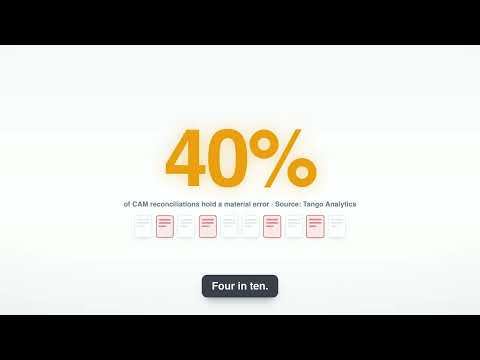
CAM Reconciliation: Catch the Error Before Your Tenant Does
Check your CAM bill before you send it. Find the mistake before your tenant does.
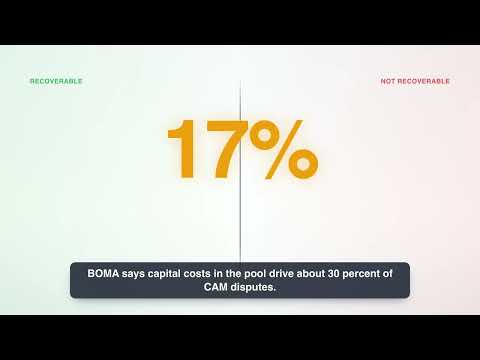
Common Area Maintenance: What's Recoverable and What Isn't
Learn which shared costs tenants pay for. Learn which ones you cannot bill.
Automate Your CAM Reconciliation
CapVeri processes Yardi, MRI, and AppFolio GL exports. No integration, no consultant. 30-day free trial.